Product details
Café Sales and Management System (POS)
Apps
 New
New
75$
150$
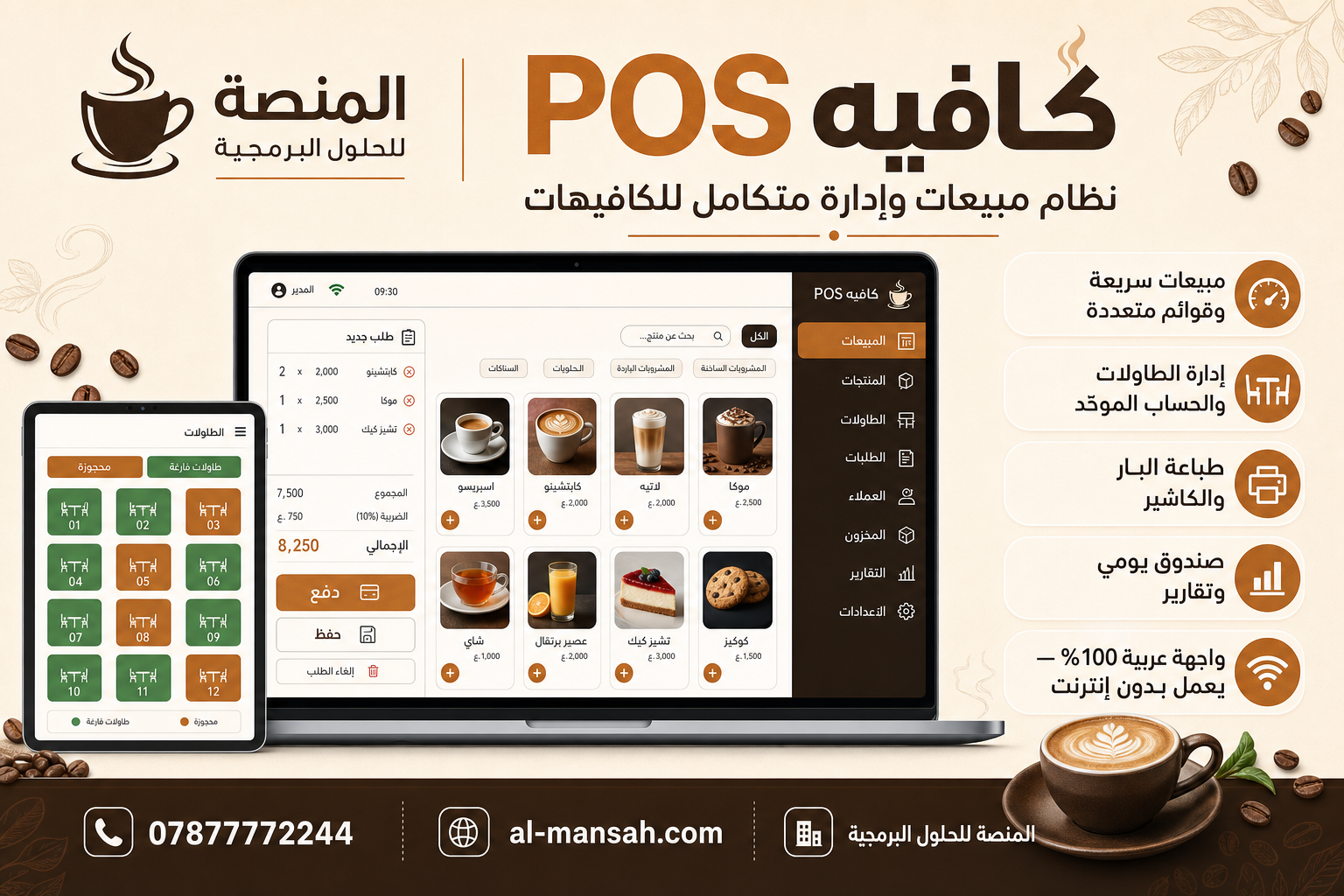
An integrated Arabic desktop sales system for cafés, combining counter speed with table management and multiple orders, featuring preparation printing, daily cash drawer tracking, and reports — works offline on the device.
Features
- Sales & Counter
- Fast sales interface with large, clear product cards
- 6 parallel sales lists for peak-hour congestion management
- Customer search (optional) — default sale is cash without forcing customer registration
- Invoice discount
- Immediate or automatic printing after payment
- Direct counter sale (without table) with one-tap payment
- Table Management
- Two buttons on the main screen:
- Empty Tables — to select a table for a new customer
- Reserved / Has Order — for active tables
- Wide table window with clear display of table number, total amount, and order count
- Invoice/check number assigned to each table (given upon first send to preparation)
- Send to Preparation: saves the order + prints the prep ticket only (no immediate payment)
- Multiple orders on the same table, then a unified bill upon departure
- Detailed checkout window: each order separately + grand total
- Right-click options: settle table, new order, clear table
- Menu
- Categories and products (hot drinks, cold drinks, desserts, etc.)
- Full management: add, edit, delete, prices
- Cashier menu view and separate customer-facing menu display
- Highlight out-of-stock products
- Default pre-configured café-style menu
- Daily Cash Drawer
- Open drawer in the morning with opening balance
- Evening closing with comparison of actual cash vs. sales
- Cash / credit sales summary
- Reset invoice numbering after each closing
- Reports
- Daily report (sales, best-selling items)
- Invoice log with details and reprint option
- Filter by payment type and order type (for recorded invoices)
- Customers (Optional)
- Customer records and search
- Credit account and statement (for those who need it — not mandatory for tables)
- Inventory
- Item management (milk, coffee beans, cups, etc.)
- Smart search and transaction log
- Users & Permissions
- Roles: Manager, Branch Manager, Cashier, Storekeeper
- PIN login for each employee
- Different permissions per screen
- Settings
- Café name and currency
- Warm interface colors (café identity)
- Font size and product card sizing
- Table number management
- Configure two printers: customer receipt and preparation ticket (paper size, font, test)
- Custom text at the bottom of customer receipts
- Database & Backup
- Full database export and import (JSON)
- Telegram backup (optional)
- Printing
- Customer receipt: invoice details, table number, total
- Preparation ticket: order number, table, items and quantities
- Silent printing via Electron on Windows
- Technology & Operation
- Works offline on the local device
- Desktop application (Windows)
- Built with [specify if known, e.g., Electron / C# / etc.]